Iterate Designs Live.
Don't Go Back to CAD.
Iterate Designs Live.
Don't Go Back to CAD.
Iterate Designs Live.
Don't Go Back to CAD.
The fastest visualization tool for Cabinet Makers and Interior Designers. Swap materials, change hardware, and iterate designs in seconds—without touching your 3D model.
Start Rendering for Free
3 Free Renders. No credit card required.
Compatible with ALL CAD software!
SketchUp™, Mozaik™, Cabinet Vision™, Microvellum™, and more.
The fastest visualization tool for Cabinet Makers and Interior Designers. Swap materials, change hardware, and iterate designs in seconds—without touching your 3D model.
Start Rendering for Free
3 Free Renders. No credit card required.
Compatible with ALL CAD software!
SketchUp™, Mozaik™, Cabinet Vision™, Microvellum™, and more.
The fastest visualization tool for Cabinet Makers and Interior Designers. Swap materials, change hardware, and iterate designs in seconds—without touching your 3D model.
Start Rendering for Free
3 Free Renders. No credit card required.
Compatible with ALL CAD software!
SketchUp™, Mozaik™, Cabinet Vision™, Microvellum™, and more.
The "Indecisive Client" Nightmare is over.
The "Indecisive Client" Nightmare is over.
The "Indecisive Client" Nightmare is over.
Watch the Workflow: CAD to Photorealistic in under a minute.
See exactly how top cabinet shops are using QuickCabRender to bypass clunky rendering engines and win more bids.
⏱️ Zero 3D Modeling: Watch us turn a cartoony 3D into a photorealistic render in 40 seconds.
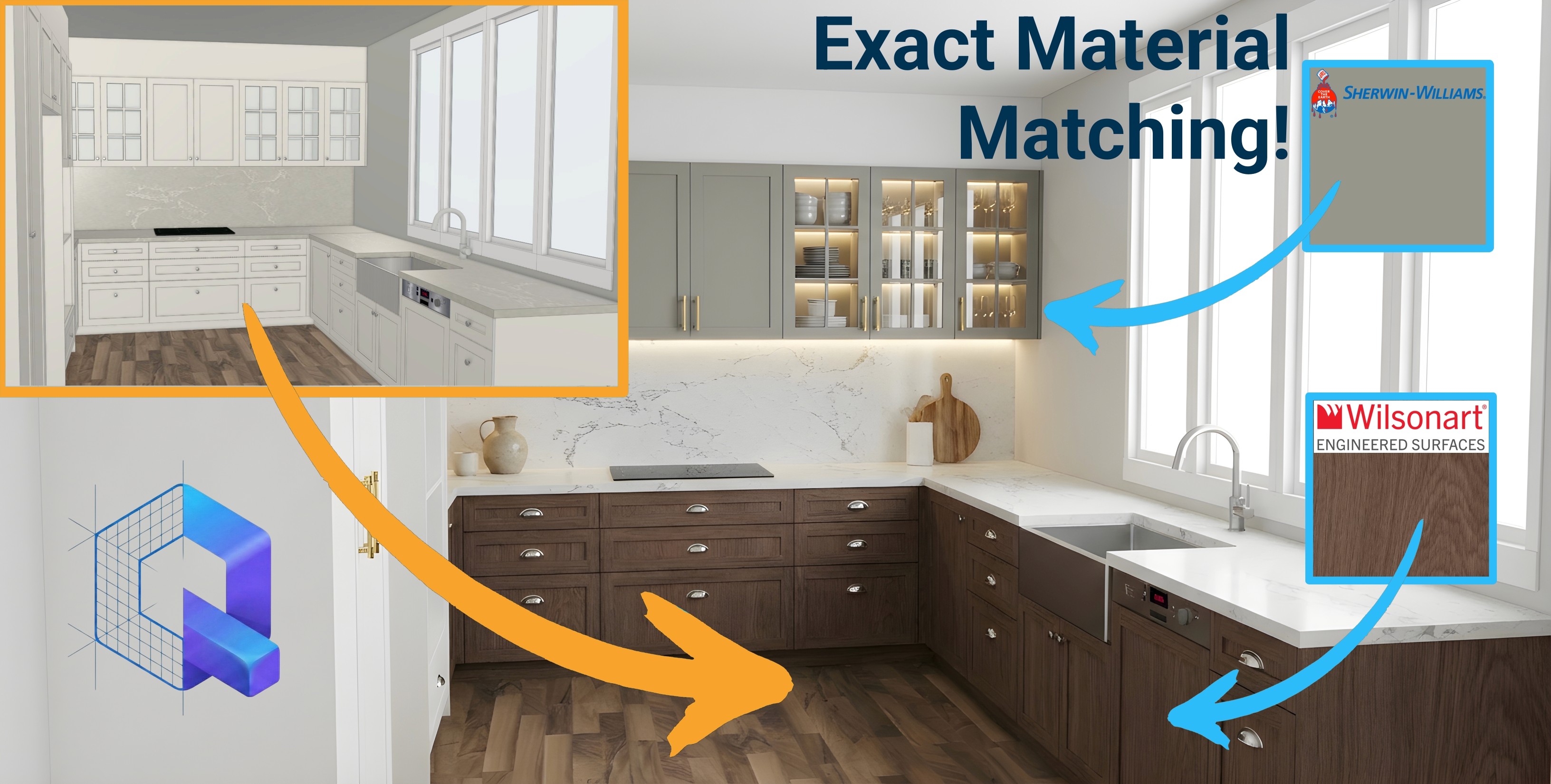
🎨 The Copy/Paste Magic: See how we pull exact manufacturer swatches straight off the web.
✌️ Instant Variations: Watch us isolate multi-tone kitchens and change hardware with one click.
Watch this video 👇
Watch the Workflow: CAD to Photorealistic in under a minute.
See exactly how top cabinet shops are using QuickCabRender to bypass clunky rendering engines and win more bids.
⏱️ Zero 3D Modeling: Watch us turn a cartoony 3D into a photorealistic render in 40 seconds.
🎨 The Copy/Paste Magic: See how we pull exact manufacturer swatches straight off the web.
✌️ Instant Variations: Watch us isolate multi-tone kitchens and change hardware with one click.
Watch this video 👇
Watch the Workflow: CAD to Photorealistic in under a minute.
See exactly how top cabinet shops are using QuickCabRender to bypass clunky rendering engines and win more bids.
⏱️ Zero 3D Modeling: Watch us turn a cartoony 3D into a photorealistic render in 40 seconds.
🎨 The Copy/Paste Magic: See how we pull exact manufacturer swatches straight off the web.
✌️ Instant Variations: Watch us isolate multi-tone kitchens and change hardware with one click.
Watch this video 👇
Heard this before?
"Can I see it as Fingerpull instead?"
"I think we want to change to Gray Shaker now"
The CAD Way
You finish a design. The client asks for a change. You have to go back to the office, re-texture the model, adjust lighting, and wait for a render export.
2+ Hours Lost.
The
QuickCabRender
Way
You stay in the meeting. You upload a screenshot. You change settings to "Fingerpull" and click Generate. You show them the result instantly.
Quote Signed
Heard this before?
"Can I see it as Fingerpull instead?"
"I think we want to change to Gray Shaker now"
The CAD Way
You finish a design. The client asks for a change. You have to go back to the office, re-texture the model, adjust lighting, and wait for a render export.
2+ Hours Lost.
The
QuickCabRender
Way
You stay in the meeting. You upload a screenshot. You change settings to "Fingerpull" and click Generate. You show them the result instantly.
Quote Signed
Heard this before?
"Can I see it as Fingerpull instead?"
"I think we want to change to Gray Shaker now"
The CAD Way
You finish a design. The client asks for a change. You have to go back to the office, re-texture the model, adjust lighting, and wait for a render export.
2+ Hours Lost.
The
QuickCabRender
Way
You stay in the meeting. You upload a screenshot. You change settings to "Fingerpull" and click Generate. You show them the result instantly.
Quote Signed
Granular Control. Zero Learning Curve.
Your Design Super Power.
Granular Control. Zero Learning Curve.
Exact Material Matching
Exact Material Matching
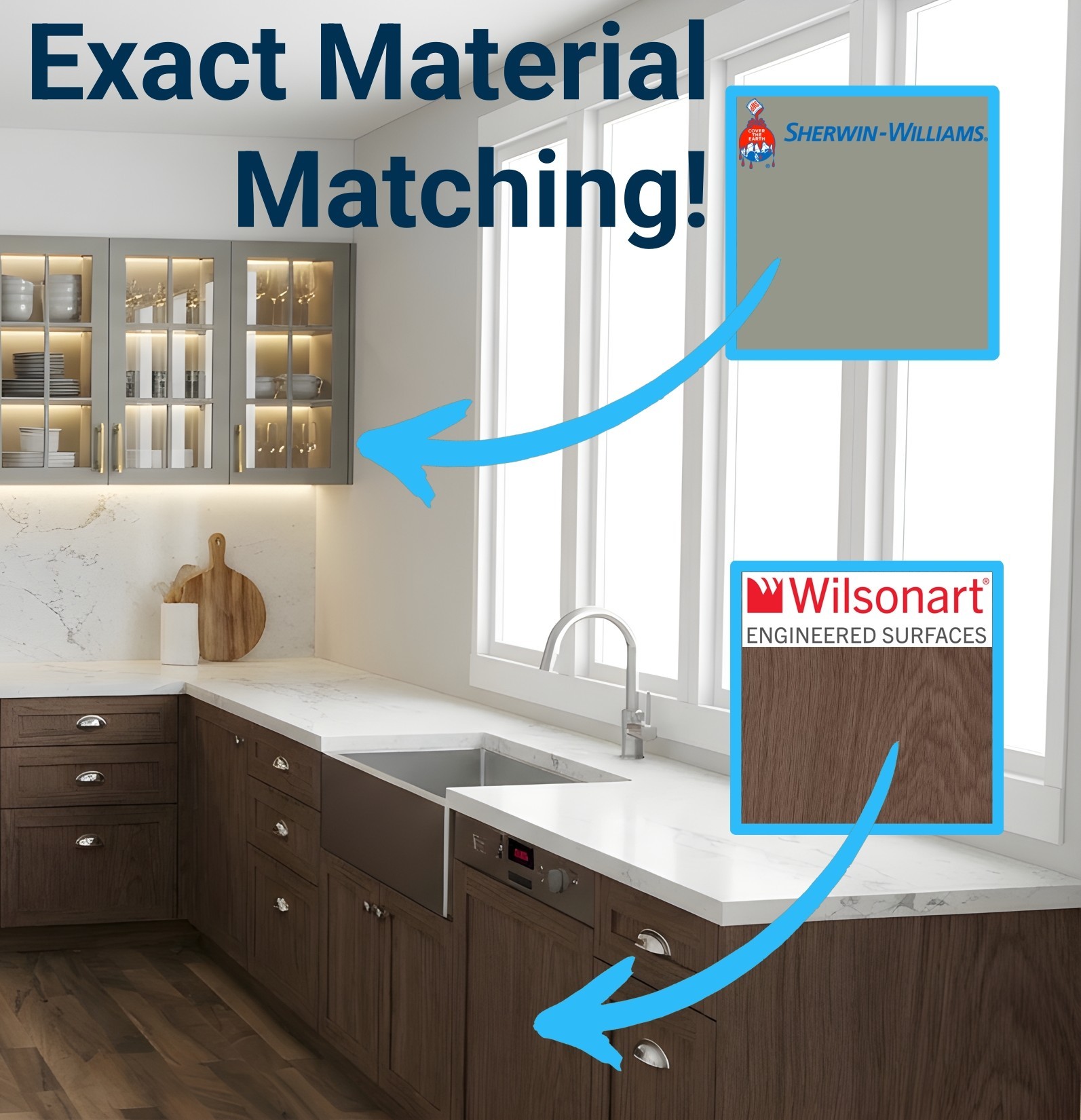
Don't just type a color—use the exact product your client requested. Simply go to a manufacturer's website (like Sherwin-Williams, Polytec, or Cambria), copy an image of the swatch, and paste it straight into QuickCabRender. The AI will completely replace your CAD textures and map the exact color, woodgrain, or stone veins perfectly in 3D. It even works for specific hardware brands like Top Knobs or Buster + Punch!
Infinite Material Library.
Infinite Material Library.
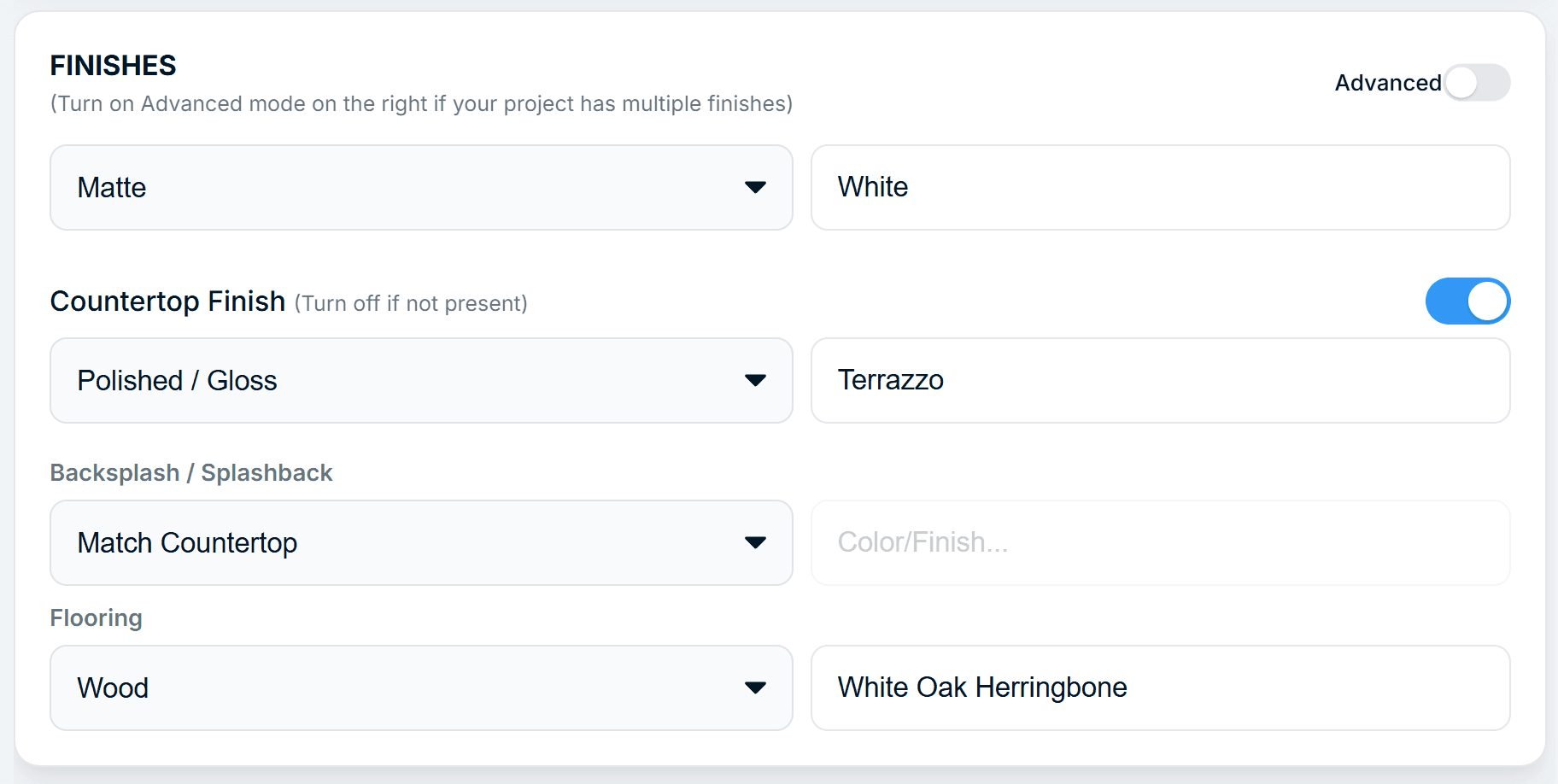
Don't have the texture in your library? Just type it. "Terrazzo", "White Oak Herringbone", "Polished Concrete"—if you can type it, you can render it.
Intelligent Hardware Logic.
Intelligent Hardware Logic.
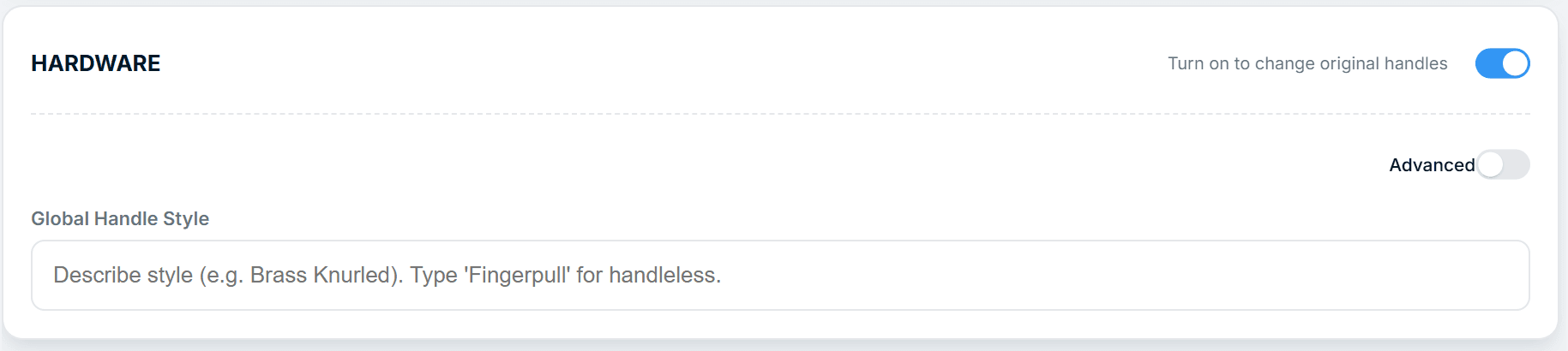
Switch from "Brass Knobs" to "Fingerpull" with a single toggle. Our AI understands cabinet zones, letting you change to handleless style but keep the handles on your tall cabinets.
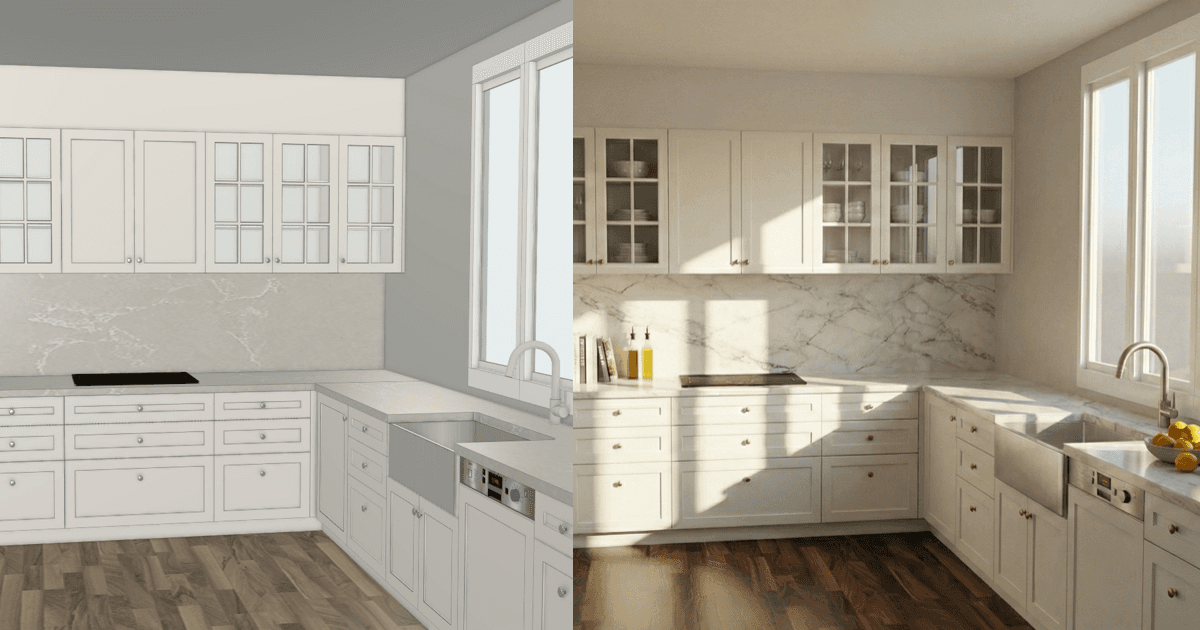
Creative, yet Disciplined.
Creative, yet Disciplined.
We lock the camera angle and geometry. We change the look, not the layout, ensuring your render matches your quote.
One Model. Infinite Possibilities.
One Model. Infinite Possibilities.
Generate multiple variations in less time it takes to model 1 change in CAD.
Generate multiple variations in less time it takes to model 1 change in CAD.
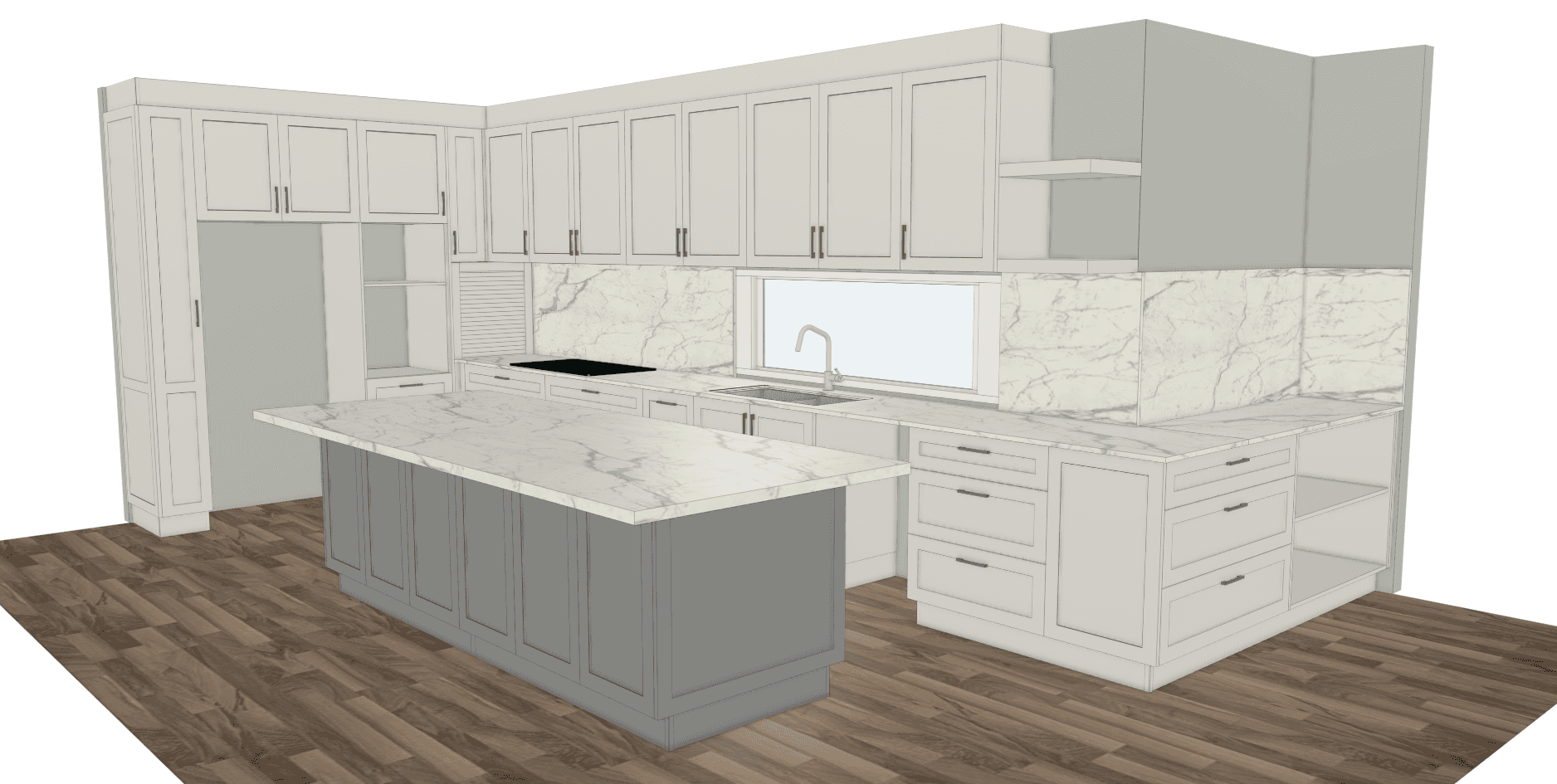
Finishes & handles to match original image.
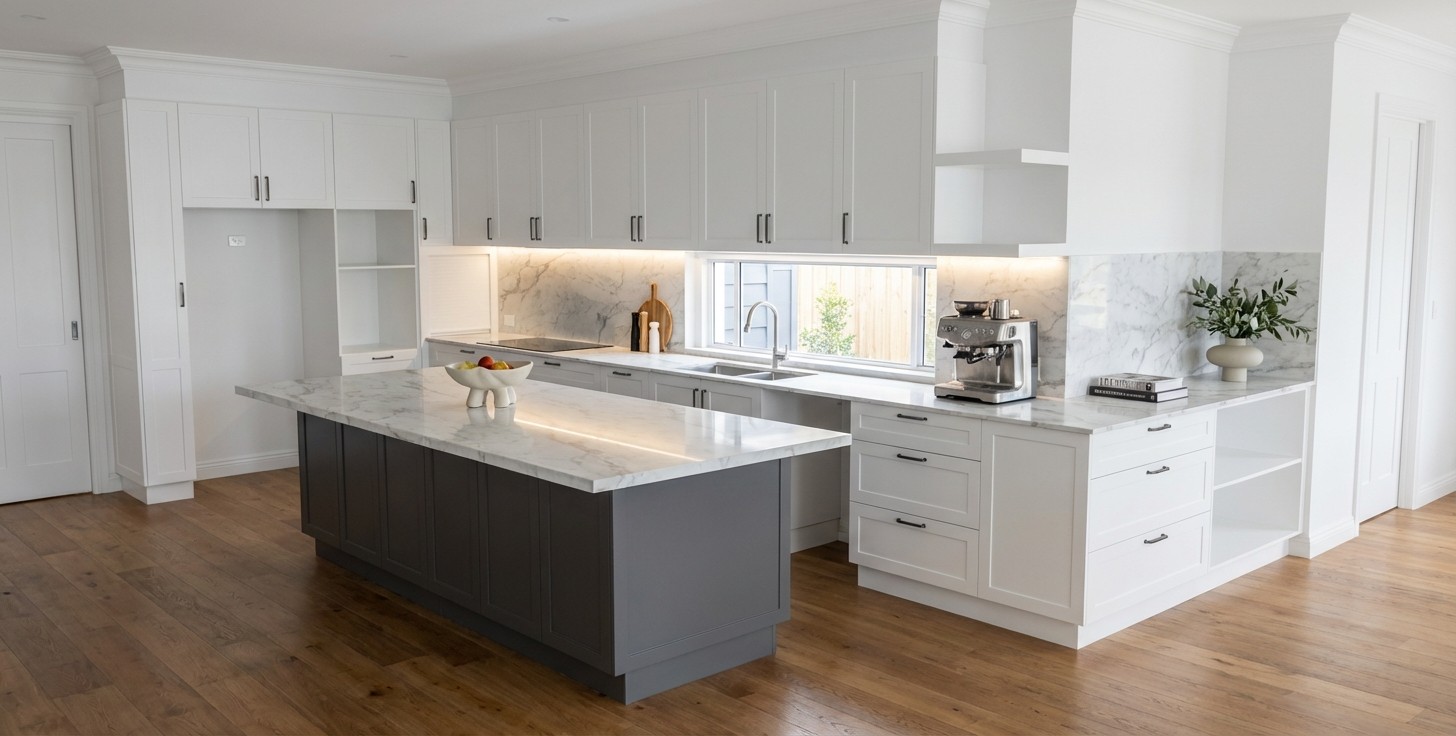
Oak faces & white island. Brass handles. Tile floor.
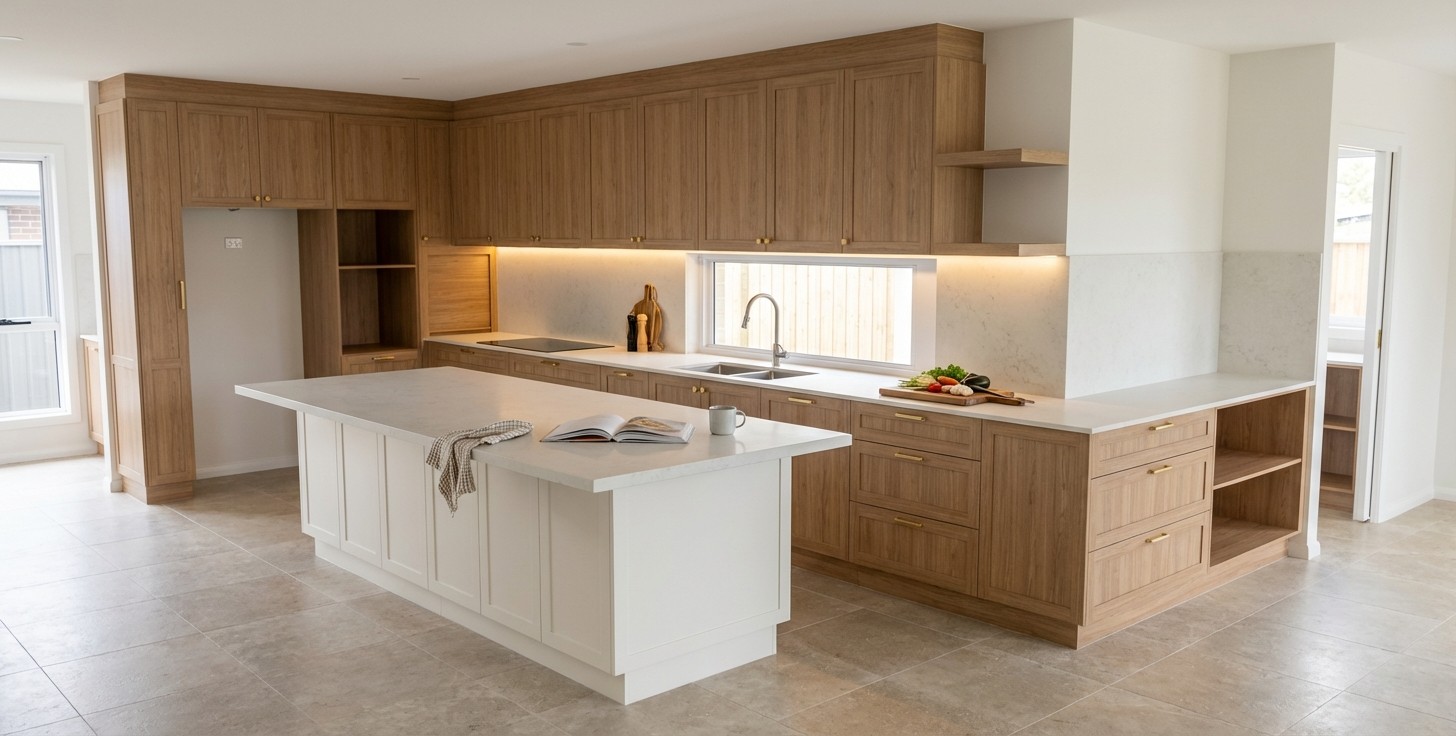
Fingerpull style. Switch colors. Polished concrete floor.
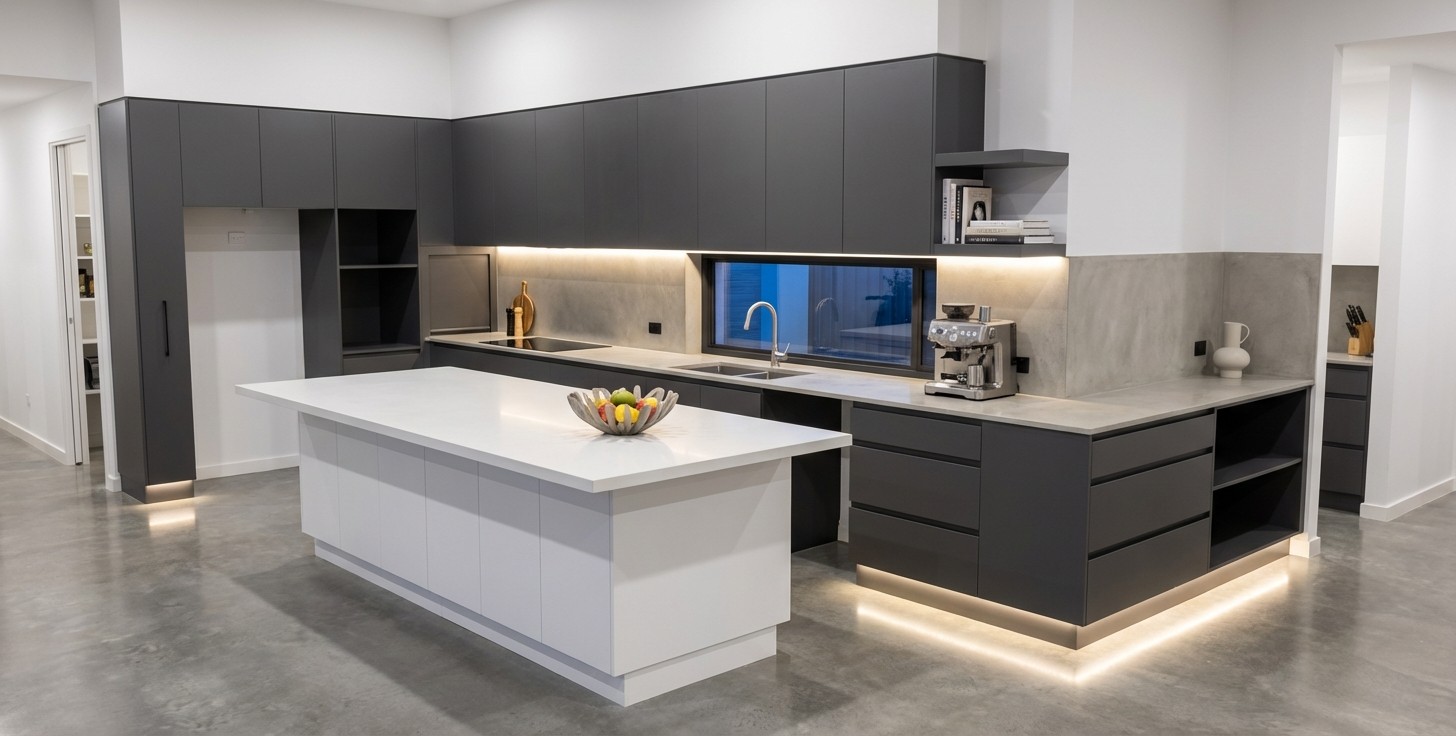
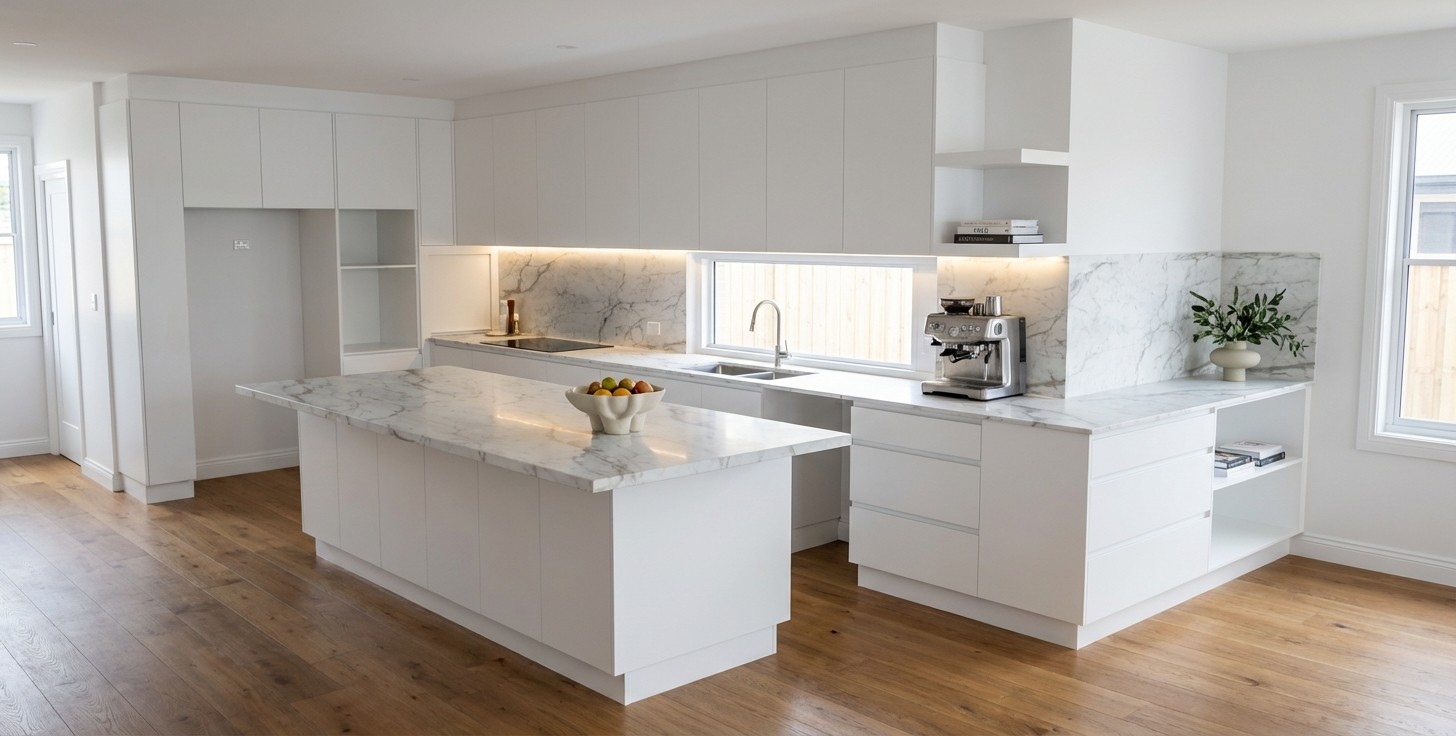
All white Fingerpull. Marble Countertops.
Ready for the Big Screen.
Ready for the Big Screen.
Turn standard HD concepts into 4K Ultra-HD masterpieces.
Turn standard HD concepts into 4K Ultra-HD masterpieces.
Don't let pixelation kill the mood. Standard AI renders look great on a phone, but lose detail on a showroom TV.
Our 4K Upscaling Engine intelligently sharpens wood grain, refines marble veins, and perfects lighting textures. The result is a crisp, photo-real image ready for large screens and high-quality print.
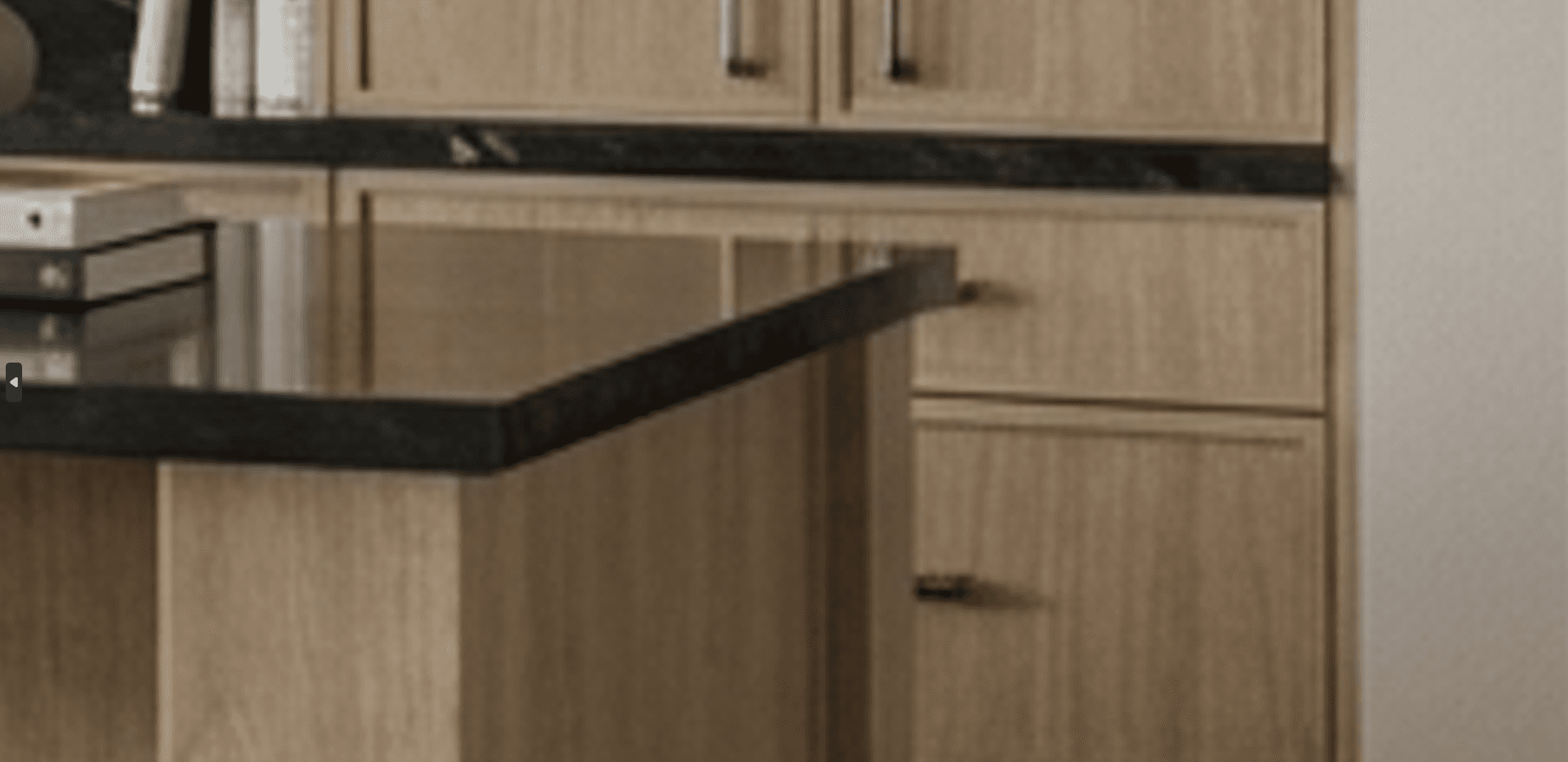
Standard HD
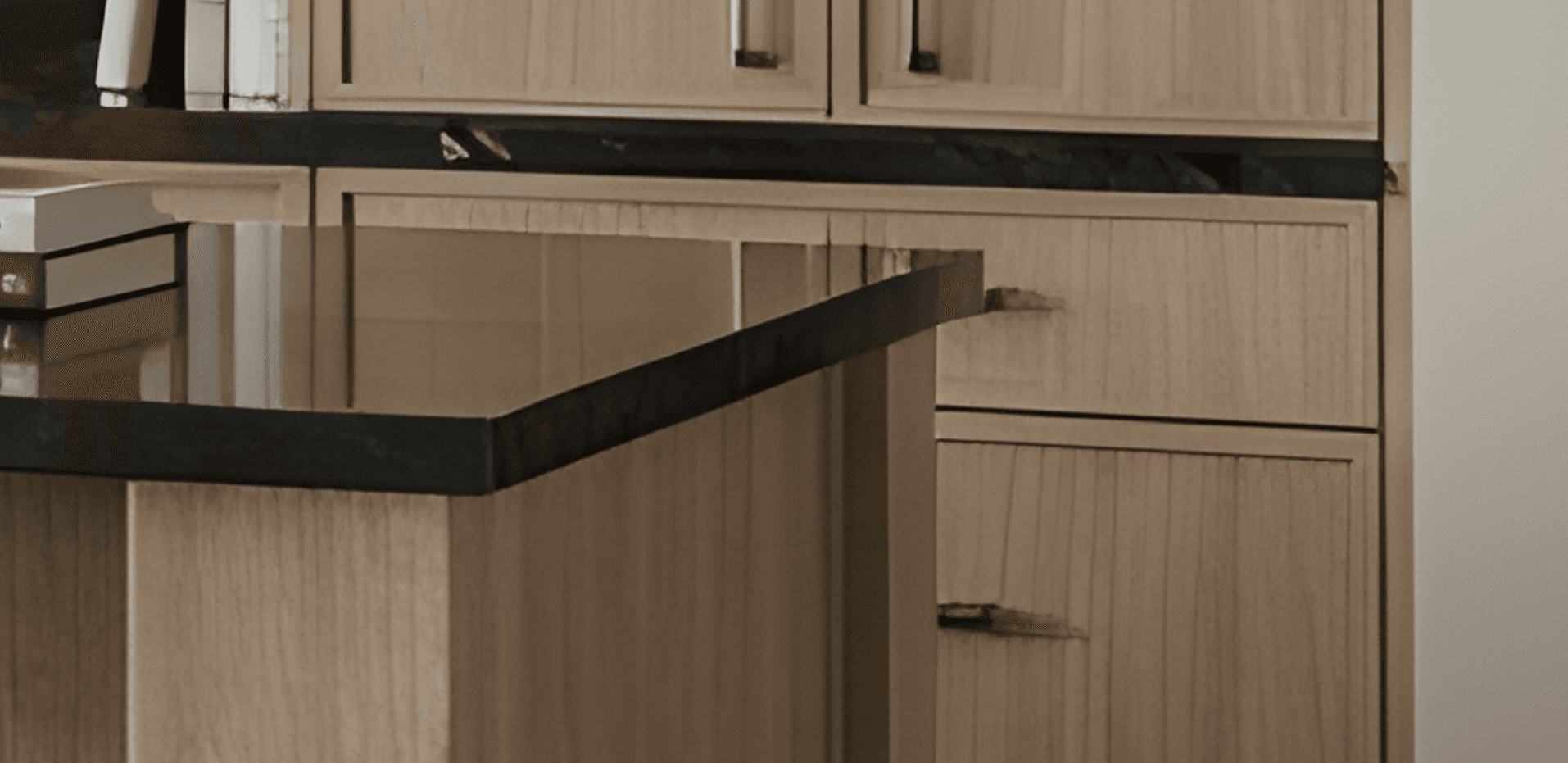
4K Ultra-HD
Easy to Start, Easy to Scale
We take pride in our attention to detail and commitment to customer satisfaction.
Pay yearly for a discount of 2 MONTHS!
Easy to Start, Easy to Scale
We take pride in our attention to detail and commitment to customer satisfaction.
Pay yearly for a discount of 2 MONTHS!
Easy to Start, Easy to Scale
We take pride in our attention to detail and commitment to customer satisfaction.
Pay yearly for a discount of 2 MONTHS!
Monthly
Yearly
Standard HD
4K Ultra-HD
Free Trial
$0
Test the workflow.
3 Credits (One-time)
Standard HD Quality
Watermarked Images
4K & Exact Material Matching (Want these? Add a Top-Up pack or upgrade)
Starter
$19
USD / Per month
50 Credits per month.
Standard HD Quality
Commercial License
"Infill" & Creative Mode
4K & Exact Material Matching (Want these? Add a Top-Up pack or upgrade)
Business
$49
USD / Per month
200 Credits per month.
4K Ultra-HD Upscaling Included
Exact Material Matching (Upload Swatches) Included
2 User Seats included
Unlimited Gallery Storage
Priority Support
Most popular!
Pro
$199
USD / Per month
1,000 Credits per month.
4K Ultra-HD Upscaling Included
Exact Material Matching (Upload Swatches) Included
Lowest Cost Per Render ($0.20)
5 User Seats Included
Dedicated Account Manager
Monthly
Yearly
Free Trial
$0
Test the workflow.
3 Credits (One-time)
Standard HD Quality
Watermarked Images
4K & Exact Material Matching (Want these? Add a Top-Up pack or upgrade)
Starter
$19
USD / Per month
50 Credits per month.
Standard HD Quality
Commercial License
"Infill" & Creative Mode
4K & Exact Material Matching (Want these? Add a Top-Up pack or upgrade)
Business
$49.00
USD / Per month
200 Credits per month.
4K Ultra-HD Upscaling Included
Exact Material Matching (Upload Swatches) Included
2 User Seats included
Unlimited Gallery Storage
Priority Support
Most popular!
Pro
$199
USD / Per month
1,000 Credits per month.
4K Ultra-HD Upscaling Included
Exact Material Matching (Upload Swatches) Included
Lowest Cost Per Render ($0.20)
5 User Seats Included
Dedicated Account Manager
Monthly
Yearly
Standard HD
Free Trial
$0
Test the workflow.
3 Credits (One-time)
Standard HD Quality
Watermarked Images
4K & Exact Material Matching (Want these? Add a Top-Up pack or upgrade)
Starter
$19
USD / Per month
50 Credits per month.
Standard HD Quality
Commercial License
"Infill" & Creative Mode
4K & Exact Material Matching (Want these? Add a Top-Up pack or upgrade)
Business
$49
USD / Per month
200 Credits per month.
4K Ultra-HD Upscaling Included
Priority Support
2 User Seats included
Unlimited Gallery Storage
Priority Support
Most popular!
Pro
$199
USD / Per month
1,000 Credits per month.
4K Ultra-HD Upscaling Included
Best Unit Price ($0.20)
Lowest Cost Per Render ($0.20)
5 User Seats Included
Dedicated Account Manager
4K Ultra-HD
No lock-in contracts. Cancel anytime via your dashboard.
No lock-in contracts. Cancel anytime via your dashboard.
Need flexibility?
Add credits anytime.
Need flexibility?
Add credits anytime.
Need flexibility?
Add credits anytime.
Want standard renders, exact material matching, and 4K quality without the monthly fee? Top-up credits unlock premium features while your balance is active.
Top-up credits never expire.
Remaining Top-Up credits roll over each month.
Trusted by Cabinet Shops & Design Studios.
Trusted by Cabinet Shops & Design Studios.
Trusted by Cabinet Shops & Design Studios.
"I took a quick screenshot, uploaded it to QuickCabRender, and within half a minute I had a rendered image. That was all it took, the client was sold instantly."
"I took a quick screenshot, uploaded it to QuickCabRender, and within half a minute I had a rendered image. That was all it took, the client was sold instantly."
- Eleni S. AVE Kitchen & Cabinet Design
Mozaik user
- Eleni S. AVE Kitchen & Cabinet Design
Mozaik user
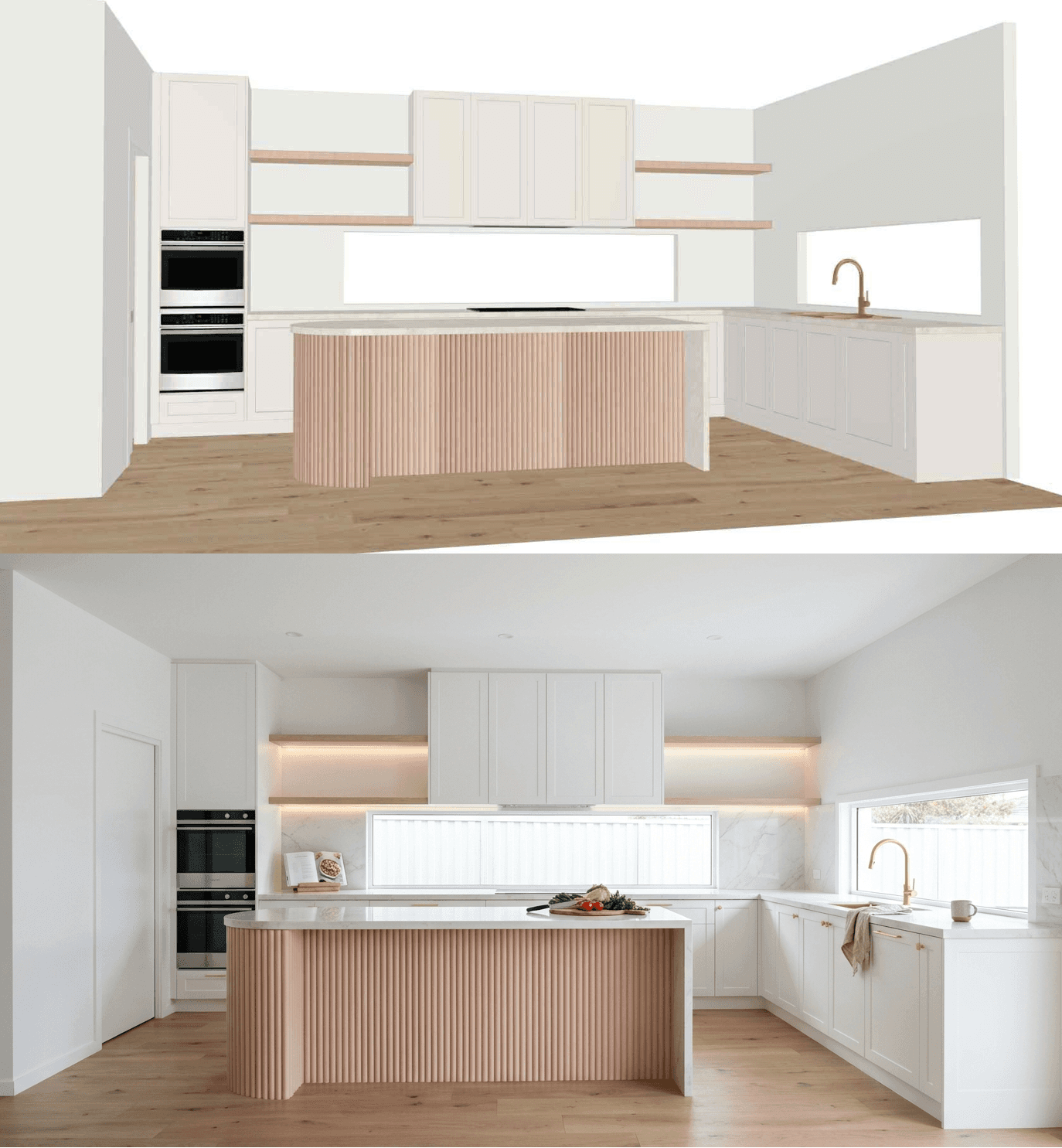
"Highly recommend this software to anyone looking to save time and improve their render output!
11/10, and extremely reasonably priced."
"Highly recommend this software to anyone looking to save time and improve their render output!
11/10, and extremely reasonably priced."
- Tom M. Thomas John Joinery
CabMaster user
- Tom M. Thomas John Joinery
CabMaster user
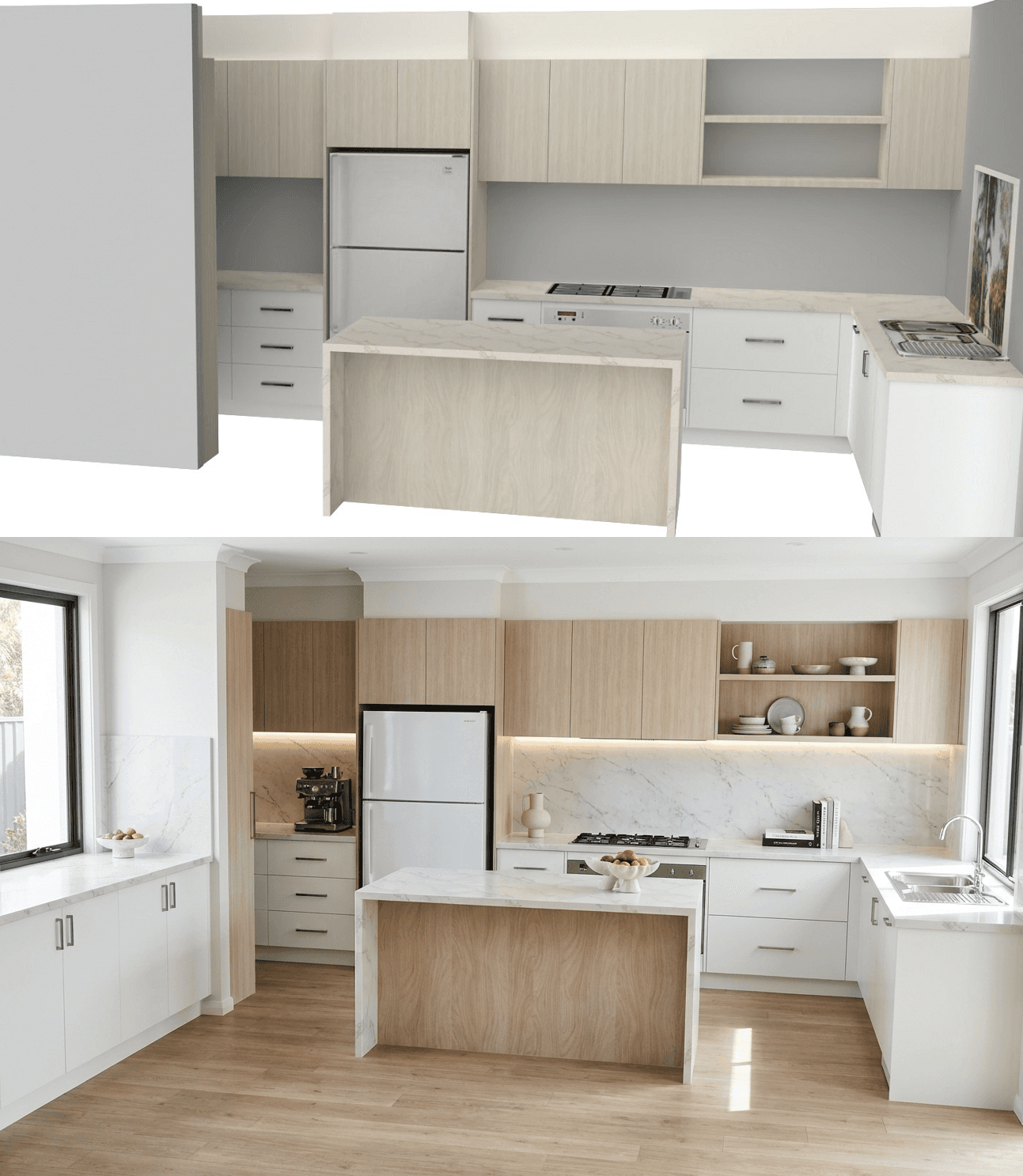
"I've been looking for something like this for ages, I hated SketchUp so just kept using the 3D in Mozaik until I found something more user friendly. Even added the timber on the walls I asked for!"
"I've been looking for something like this for ages, I hated SketchUp so just kept using the 3D in Mozaik until I found something more user friendly. Even added the timber on the walls I asked for!"
- Derrick S. Sawrys Cabinets
Mozaik user
- Derrick S. Sawrys Cabinets
Mozaik user
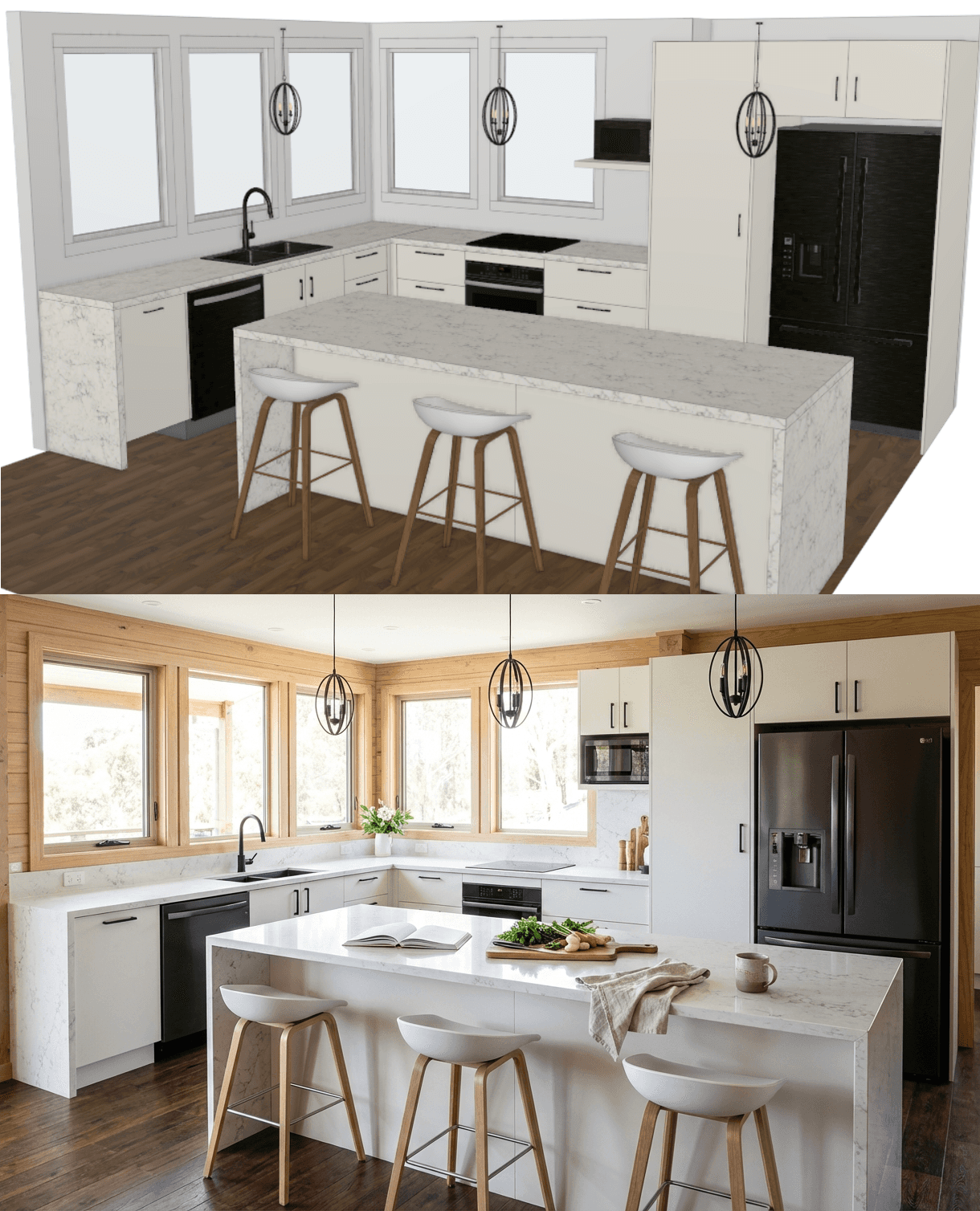
Frequently Asked Questions
Frequently Asked Questions
Frequently Asked Questions
What software is QuickCabRender compatible with?
Everything. Because our engine works from images rather than 3D model files, it is compatible with Mozaik™, Cabinet Vision™, Microvellum™, SketchUp, Fusion 360, etc. If you can take a screenshot of it, we can render it.
Do I need to install a plugin or extension?
No. QuickCabRender is 100% web-based. You do not need to install anything on your CAD workstation. You simply drag and drop your screenshot into your browser.
Do I need to export OBJ or DWG files?
No. We built this for speed. Exporting 3D models is slow and often breaks textures. We use an "Image-to-Image" AI process. Just export your view as an image with texture turned on (.PNG works best), upload it, and we handle the rest.
How is this different from my software’s built-in rendering?
Your CAD software is built for engineering accuracy, which often makes its rendering features slow and complex to set up (lighting, textures, ray-tracing). QuickCabRender is built for Sales. We sacrifice millimeter-perfect engineering precision for "HGTV-style" visuals that generate in seconds, helping you close the deal during the client meeting.
What creates the best results?
A clean "textured" view works best. Ensure your image isn't cluttered with confusing background lines. The cleaner the input, the better the output.
Is my design data private?
Yes. Your uploaded screenshots are processed securely and are never shared with third parties or other users.
How do credits work?
1 Credit = 1 Render. We offer a free trial so you can test the workflow. After that, you can purchase credit packs or a monthly subscription depending on your volume. And for 4K upscaling = 2 credits.
What if I don't like a render result?
AI is a creative partner, not a printer. Sometimes the AI might misinterpret a line or get a texture wrong. That is part of the technology. To account for this, we have priced our credits significantly lower than traditional rendering services. We recommend generating 2-3 variations for every view to get the perfect shot. Even with a few "misfires," you are still getting high-end visuals for a fraction of the cost (and time) of manual rendering.
Can I use exact real-world materials and hardware?
Yes! With our new Exact Material Matching engine (available on Business/Pro plans and Top-Up packs), you can bypass standard AI guesswork. Simply copy an image of a specific paint swatch, laminate board, stone benchtop, or cabinet handle directly from a manufacturer's website and paste it into the app. QuickCabRender will map that exact texture and hardware onto your 3D design, making it the ultimate tool for specific client requests.
What software is QuickCabRender compatible with?
Everything. Because our engine works from images rather than 3D model files, it is compatible with Mozaik™, Cabinet Vision™, Microvellum™, SketchUp, Fusion 360, etc. If you can take a screenshot of it, we can render it.
Do I need to install a plugin or extension?
No. QuickCabRender is 100% web-based. You do not need to install anything on your CAD workstation. You simply drag and drop your screenshot into your browser.
Do I need to export OBJ or DWG files?
No. We built this for speed. Exporting 3D models is slow and often breaks textures. We use an "Image-to-Image" AI process. Just export your view as an image with texture turned on (.PNG works best), upload it, and we handle the rest.
How is this different from my software’s built-in rendering?
Your CAD software is built for engineering accuracy, which often makes its rendering features slow and complex to set up (lighting, textures, ray-tracing). QuickCabRender is built for Sales. We sacrifice millimeter-perfect engineering precision for "HGTV-style" visuals that generate in seconds, helping you close the deal during the client meeting.
What creates the best results?
A clean "textured" view works best. Ensure your image isn't cluttered with confusing background lines. The cleaner the input, the better the output.
Is my design data private?
Yes. Your uploaded screenshots are processed securely and are never shared with third parties or other users.
How do credits work?
1 Credit = 1 Render. We offer a free trial so you can test the workflow. After that, you can purchase credit packs or a monthly subscription depending on your volume. And for 4K upscaling = 2 credits.
What if I don't like a render result?
AI is a creative partner, not a printer. Sometimes the AI might misinterpret a line or get a texture wrong. That is part of the technology. To account for this, we have priced our credits significantly lower than traditional rendering services. We recommend generating 2-3 variations for every view to get the perfect shot. Even with a few "misfires," you are still getting high-end visuals for a fraction of the cost (and time) of manual rendering.
Can I use exact real-world materials and hardware?
Yes! With our new Exact Material Matching engine (available on Business/Pro plans and Top-Up packs), you can bypass standard AI guesswork. Simply copy an image of a specific paint swatch, laminate board, stone benchtop, or cabinet handle directly from a manufacturer's website and paste it into the app. QuickCabRender will map that exact texture and hardware onto your 3D design, making it the ultimate tool for specific client requests.
What software is QuickCabRender compatible with?
Everything. Because our engine works from images rather than 3D model files, it is compatible with Mozaik™, Cabinet Vision™, Microvellum™, SketchUp, Fusion 360, etc. If you can take a screenshot of it, we can render it.
Do I need to install a plugin or extension?
No. QuickCabRender is 100% web-based. You do not need to install anything on your CAD workstation. You simply drag and drop your screenshot into your browser.
Do I need to export OBJ or DWG files?
No. We built this for speed. Exporting 3D models is slow and often breaks textures. We use an "Image-to-Image" AI process. Just export your view as an image with texture turned on (.PNG works best), upload it, and we handle the rest.
How is this different from my software’s built-in rendering?
Your CAD software is built for engineering accuracy, which often makes its rendering features slow and complex to set up (lighting, textures, ray-tracing). QuickCabRender is built for Sales. We sacrifice millimeter-perfect engineering precision for "HGTV-style" visuals that generate in seconds, helping you close the deal during the client meeting.
What creates the best results?
A clean "textured" view works best. Ensure your image isn't cluttered with confusing background lines. The cleaner the input, the better the output.
Is my design data private?
Yes. Your uploaded screenshots are processed securely and are never shared with third parties or other users.
How do credits work?
1 Credit = 1 Render. We offer a free trial so you can test the workflow. After that, you can purchase credit packs or a monthly subscription depending on your volume. And for 4K upscaling = 2 credits.
What if I don't like a render result?
AI is a creative partner, not a printer. Sometimes the AI might misinterpret a line or get a texture wrong. That is part of the technology. To account for this, we have priced our credits significantly lower than traditional rendering services. We recommend generating 2-3 variations for every view to get the perfect shot. Even with a few "misfires," you are still getting high-end visuals for a fraction of the cost (and time) of manual rendering.
Can I use exact real-world materials and hardware?
Yes! With our new Exact Material Matching engine (available on Business/Pro plans and Top-Up packs), you can bypass standard AI guesswork. Simply copy an image of a specific paint swatch, laminate board, stone benchtop, or cabinet handle directly from a manufacturer's website and paste it into the app. QuickCabRender will map that exact texture and hardware onto your 3D design, making it the ultimate tool for specific client requests.
About Us
Your clients don't speak CAD. We translate.
Your clients don't speak CAD. We translate.
Your clients don't speak CAD. We translate.
Turn technical drawings into emotional realities—instantly.
Turn technical drawings into emotional realities—instantly.
We know the feeling.
You present a layout you’ve spent hours perfecting. The client loves it, but asks the inevitable question: "Can we see it with White Oak floors and Shaker instead?"
In the past, that request killed your momentum. It meant going back to the office, modifying the job, and re-rendering. By the time you sent the email, the excitement was gone.
In the past, that request killed your momentum. It meant going back to the office, modifying the job, and re-rendering. By the time you sent the email, the excitement was gone.
We built QuickCabRender to answer that question in 40 seconds, while you’re still sitting in the meeting.
Engineering is for you. Emotion is for them.
Your CAD software is built for precision—dimensions, tolerances, and drilling patterns. It wasn't built for atmosphere.
QuickCabRender acts as the "Visual Layer" on top of your workflow. We bridge the gap between your technical drawings and your client's imagination, allowing you to sell the feeling of a space without sacrificing the accuracy of your plans.
In the past, that request killed your momentum. It meant going back to the office, modifying the job, and re-rendering. By the time you sent the email, the excitement was gone.
We built QuickCabRender to answer that question in 40 seconds, while you’re still sitting in the meeting.
Engineering is for you. Emotion is for them.
Your CAD software is built for precision—dimensions, tolerances, and drilling patterns. It wasn't built for atmosphere.
QuickCabRender acts as the "Visual Layer" on top of your workflow. We bridge the gap between your technical drawings and your client's imagination, allowing you to sell the feeling of a space without sacrificing the accuracy of your plans.
In the past, that request killed your momentum. It meant going back to the office, modifying the job, and re-rendering. By the time you sent the email, the excitement was gone.
We built QuickCabRender to answer that question in 40 seconds, while you’re still sitting in the meeting.
Engineering is for you. Emotion is for them.
Your CAD software is built for precision—dimensions, tolerances, and drilling patterns. It wasn't built for atmosphere.
QuickCabRender acts as the "Visual Layer" on top of your workflow. We bridge the gap between your technical drawings and your client's imagination, allowing you to sell the feeling of a space without sacrificing the accuracy of your plans.

Who We Are
We aren't a generic AI company built by developers who have never stepped on a job site. We are industry insiders. We know the difference between a face frame and a frameless cabinet, and why lighting temperature makes or breaks a sale.
We are here to help Designers and Makers stop fighting with software and start closing deals.